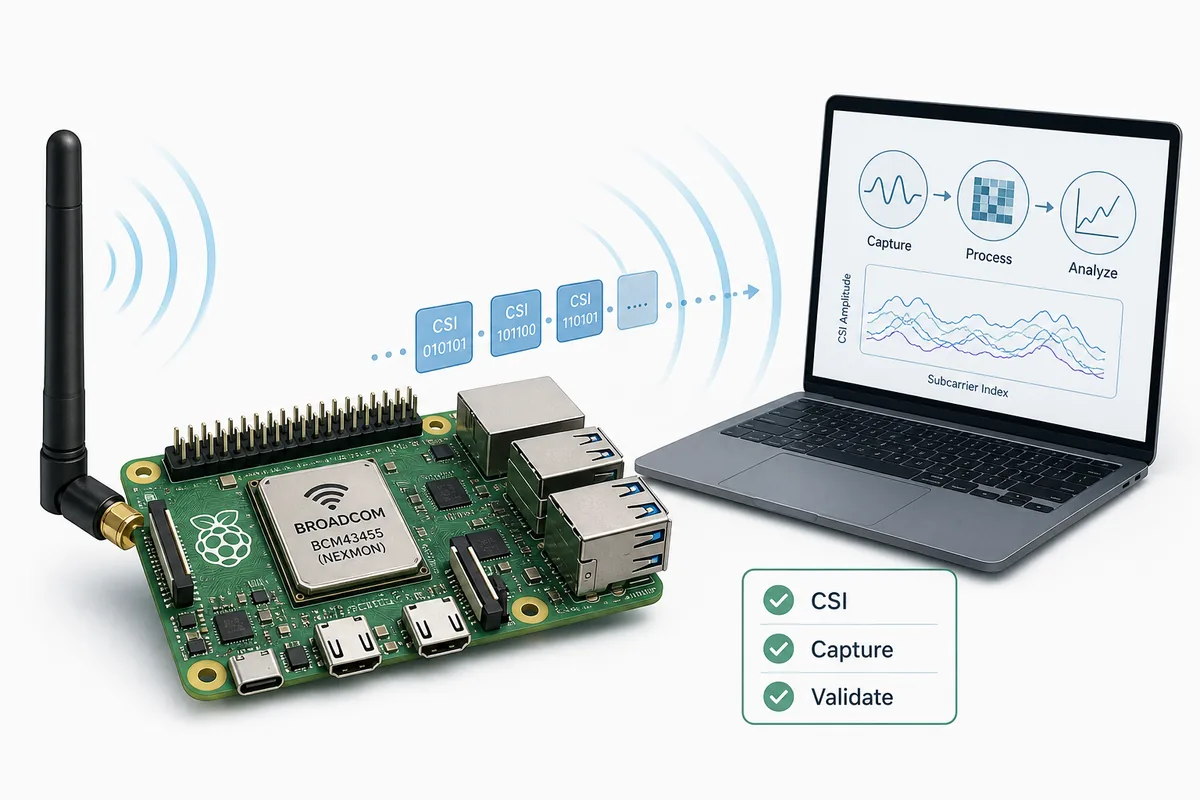
Nexmon CSI is one of the better-known ways to extract Channel State Information from selected Broadcom WiFi chipsets. Searchers usually arrive with a narrow question: can this tool capture CSI for a laptop, Raspberry Pi, phone, or research board, and is it the right starting point for WiFi sensing?
The short answer is that Nexmon CSI can be useful when you have supported Broadcom hardware and you need richer CSI than ordinary RSSI, but it is not a universal sensor layer. It belongs beside ESP32 CSI, ESP-CSI, datasets, and RuView as one capture option in a larger validation workflow. This guide explains where it fits, what to check before setup, and how to avoid overreading the first successful capture.
What Nexmon CSI is good for
Nexmon CSI modifies the WiFi firmware or driver path on compatible Broadcom chips so researchers can collect CSI for selected packets. That makes it valuable for experiments where the receiver hardware can expose subcarrier-level signal changes without buying specialized radar or enterprise positioning equipment.
The strongest use case is exploratory WiFi sensing research: channel measurement, localization experiments, activity recognition baselines, and comparison against ESP32 or Intel-style CSI capture paths. It is less suitable when your main constraint is plug-and-play deployment, long-term maintenance, or non-technical installation.
- Use it when the exact chipset, kernel, firmware, and capture toolchain are supported.
- Avoid it when the project only needs a simple low-cost node; ESP32 CSI may be easier to reproduce.
- Treat every capture as environment-dependent until tested across rooms, placements, and days.
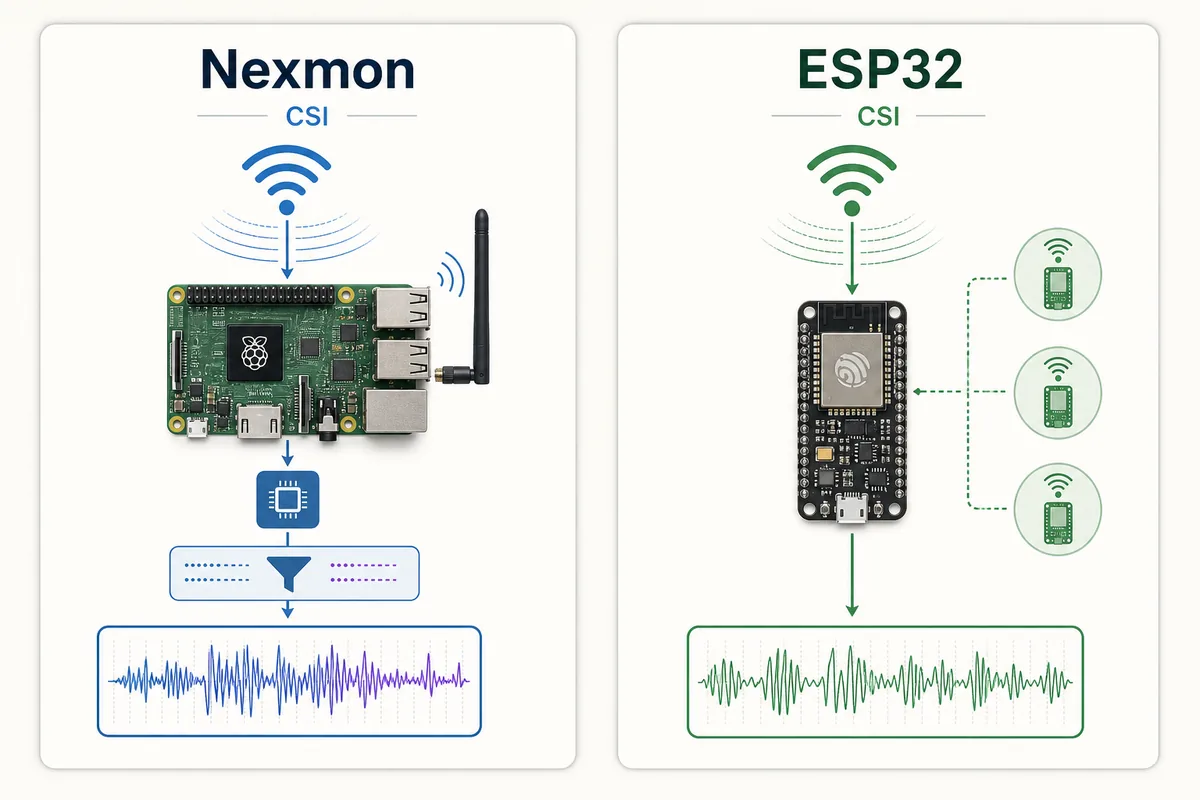
Nexmon CSI vs ESP32 CSI vs ESP-CSI
Nexmon CSI and ESP32 CSI are often found in the same search session, but they answer different engineering questions. Nexmon is attractive when you already have a supported Broadcom platform and need CSI from that receiver path. ESP32 CSI is attractive when you want inexpensive dedicated nodes and a simpler hardware bill of materials. Espressif ESP-CSI is the official ecosystem path for ESP-based experiments.
For RuView-style work, choose the capture layer before choosing the interface. A beautiful dashboard cannot repair unstable CSI. The capture path should produce repeatable packets, timestamps, metadata, and baseline recordings before the signal is used for presence, localization, activity, breathing, or motion interpretation.
| Capture path | Best fit | Main caution |
|---|---|---|
| Nexmon CSI | Supported Broadcom devices, Raspberry Pi style research setups, driver-level CSI experiments | Hardware and firmware compatibility are strict |
| ESP32 CSI / ESP-CSI | Low-cost sensor nodes, classroom experiments, repeatable transmitter-receiver tests | Signal quality and synchronization are limited |
| Intel or research NIC CSI | Academic benchmarks and older CSI datasets | Hardware availability and driver age can block replication |
| RuView interface | Explaining signal output, confidence, limits, and demo workflows | It still depends on validated CSI input |
Setup checklist before you clone
Before following any Nexmon CSI command, lock the target hardware and software environment. Record chipset, operating system image, kernel version, firmware package, monitor mode assumptions, channel width, packet source, and the repository commit you are following. Small differences can decide whether capture works at all.
Do not start with model training. Start with one controlled capture: empty room, fixed transmitter, fixed receiver, known channel, and a short packet stream. Then confirm that amplitude and phase traces change when the environment changes, and that they stay reasonably stable when nothing changes.
- Confirm the exact Broadcom chipset and supported platform before installing patches.
- Keep a clean image or backup because firmware-level experiments can be brittle.
- Capture empty-room baselines before human activity examples.
- Save raw CSI, packet metadata, and preprocessing scripts together.
Validation workflow for RuView-style sensing
A responsible Nexmon CSI workflow separates capture success from sensing success. First prove that packets arrive. Second prove that repeated baseline captures look similar. Third prove that simple changes such as a person entering the room produce distinguishable changes. Only after that should you connect features to a classifier, localization method, or RuView-style presentation layer.
For sensitive claims such as breathing, fall risk, safety alerts, or health monitoring, keep the page conservative. Nexmon CSI may expose useful signal changes, but the experiment still needs independent references, failure cases, consent, and a clear statement that radio-sensing output is probabilistic.
| Stage | Evidence to keep | Pass signal |
|---|---|---|
| Capture | Raw CSI files, packet rate, channel, hardware notes | Packets are repeatable under a fixed setup |
| Baseline | Empty room and unchanged-room sessions | Low drift over repeated captures |
| Scenario | Labeled motion, location, or presence trials | Changes match labels better than chance |
| RuView layer | Confidence, limits, fallback states | The interface shows uncertainty instead of certainty claims |
How this page avoids existing-page overlap
This page targets the specific Nexmon CSI capture decision. It does not replace the ESP32 CSI guide, which focuses on low-cost ESP hardware. It does not replace the open source WiFi CSI sensing guide, which compares repository categories. It does not replace the channel state information explainer, which defines CSI concepts.
That boundary matters for search and for users. Nexmon CSI searchers need chipset compatibility, setup risk, and validation steps; broader WiFi sensing searchers need concept, dataset, or project-selection guidance.
- New page intent: Nexmon CSI, Broadcom CSI capture, CSI tool WiFi, Raspberry Pi WiFi sensing.
- Existing support intent: ESP32 CSI setup, open source WiFi sensing projects, channel state information basics.
- FAQ or internal anchor intent: what is CSI, is WiFi sensing private, can it detect breathing.
Common mistakes
The first mistake is treating Nexmon CSI as a generic WiFi sensing library. It is tied to specific hardware and software paths. The second mistake is treating a successful capture as proof of a sensing model. The third mistake is comparing Nexmon against ESP32 without stating the deployment goal.
A good experiment note says what the tool can and cannot prove. If the output changes when a person moves, that is a useful signal. It is not automatically a validated activity recognizer, fall detector, or medical monitor.
- Do not mix RSSI-only readings with CSI claims.
- Do not publish a health or safety conclusion from one room test.
- Do not hide unsupported chipsets or failed baseline sessions.
- Do not add RuView until the capture and validation trail is clear.
Sources and technical references
Nexmon CSI FAQ
What is Nexmon CSI?
Nexmon CSI is a capture approach for extracting Channel State Information from selected Broadcom WiFi chipsets through firmware or driver-level tooling.
Is Nexmon CSI better than ESP32 CSI?
It depends on the goal. Nexmon CSI can be useful on supported Broadcom platforms; ESP32 CSI is often easier for low-cost dedicated sensor nodes and repeatable lab setups.
Can I use Nexmon CSI with RuView?
Use Nexmon CSI as a possible signal source only after capture and baseline validation. RuView should present validated signals, confidence, and limits rather than raw capture claims.
Does Nexmon CSI work on every Raspberry Pi or laptop?
No. Compatibility depends on chipset, firmware, operating system, kernel, and tooling. Check the current repository and hardware notes before setup.
Can Nexmon CSI detect breathing or falls?
It may capture signal changes relevant to such research, but breathing, fall, health, or safety claims require independent validation and should be treated as experimental.