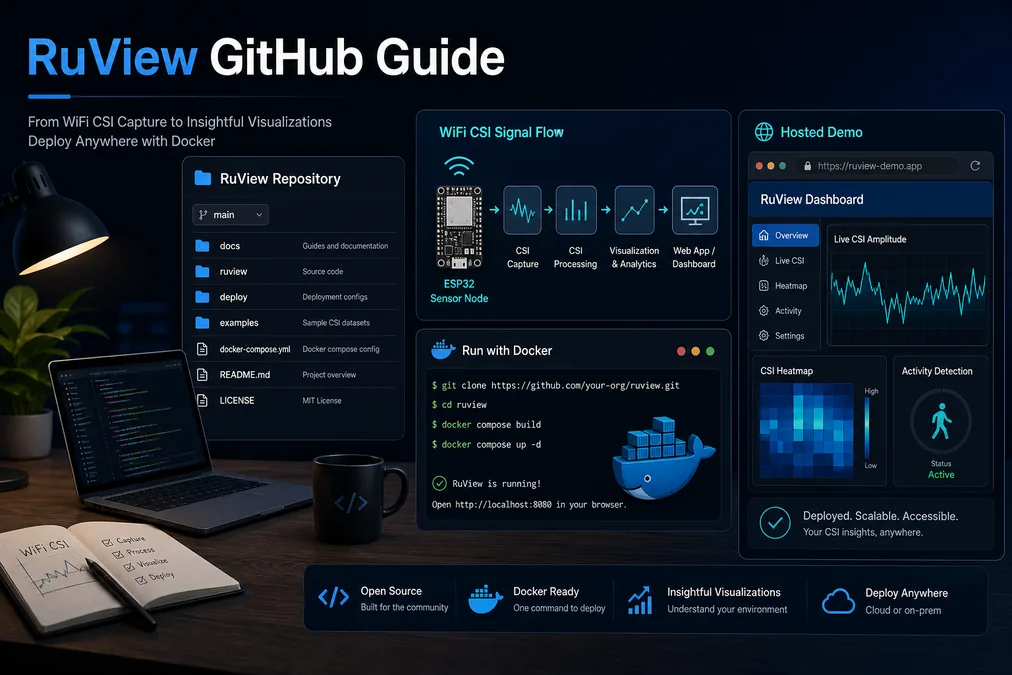
The official RuView GitHub repository is the best place to inspect the source code, active issues, setup notes, Docker path, model references, and project history. The ruview.blog homepage remains the quickest place to launch the hosted demo, while this guide is the practical bridge for developers who want to move from a live interface to the repository and then to a local experiment.
RuView is an open-source WiFi sensing and spatial-intelligence project, not a finished medical monitor or security appliance. Read the repository like an engineering project: confirm what has changed recently, check whether the demo matches the current code, and validate every hardware claim before you rely on output from presence, motion, breathing, or pose experiments.
Where to Find the Official RuView GitHub Repository
The public repository is github.com/ruvnet/RuView. Treat that URL as the canonical source for code, documentation, issue reports, release notes, and installation changes. If you arrive through a mirror, blog snippet, social post, or cached README, return to the repository before copying commands.
The hosted demo at ruvnet.github.io/RuView/ is useful for exploring the interface, but it should not be treated as a complete replacement for the source repository. A demo can show the user flow; GitHub shows the implementation, dependencies, recent commits, and open limitations.
- Open the README first, then inspect issues and releases for current status.
- Use the repository URL when citing RuView in docs or experiments.
- Keep the ruview.blog demo page for quick browser checks and non-developer sharing.
What to Check First in ruvnet/RuView
A good first pass takes less than ten minutes. Read the README for the intended workflow, then inspect the project tree for frontend, firmware, model, Docker, and documentation folders. After that, check recent commits and issues to see whether setup instructions are stable or still changing.
Do not start with model accuracy claims. For WiFi sensing projects, the practical constraints matter first: whether your hardware exposes CSI, whether packet capture is repeatable, whether calibration is documented, and whether the environment used by the demo resembles your test room.
| Repository area | What it tells you | Why it matters |
|---|---|---|
| README and docs | Setup commands, project goal, supported paths | Prevents copying stale third-party instructions |
| Issues and releases | Known bugs, roadmap, user reports | Shows whether a feature is experimental or stable |
| Docker or deployment files | Local runtime path and service assumptions | Helps reproduce the demo without guessing dependencies |
| Firmware or CSI notes | Expected sensor nodes and packet capture assumptions | Separates real CSI from coarse RSSI-only setups |
Hosted Demo vs Local Setup
Use the hosted RuView demo when you want to inspect the interface quickly, explain the concept to someone else, or confirm that the browser experience loads. Use a local setup when you want to change code, inspect logs, connect hardware, compare model outputs, or debug why a WiFi sensing scenario is not repeatable.
The safest workflow is staged: open the ruview.blog demo, open the GitHub repository, review the README, run the simplest local path, then connect real CSI hardware only after you can reproduce the software path. This avoids confusing browser UI problems with sensor or model problems.
- Demo first for orientation and screenshots.
- Repository second for the exact commands and current limitations.
- Local setup third for code changes, logs, and hardware tests.
Hardware and WiFi CSI Reality Check
RuView-style sensing depends on signal detail. Many ordinary WiFi devices expose RSSI or connection stats but not the richer Channel State Information needed for serious sensing. ESP32 CSI experiments are a common low-cost path, while more advanced research can require multiple nodes, synchronization, and labeled data.
Before interpreting results, record the room baseline, note the WiFi channel, keep packet timing stable, and document sensor placement. Presence detection in a fixed room is a much easier target than pose, breathing, fall risk, or multi-person tracking.
| Goal | Likely starting point | Validation note |
|---|---|---|
| Open the demo | Browser and hosted GitHub Pages app | Confirms interface only |
| Run locally | Repository setup or Docker path | Confirms software environment |
| Capture CSI | Compatible ESP32 or research WiFi hardware | Confirms signal availability |
| Evaluate sensing | Repeated labeled room trials | Confirms whether output matches reality |
Practical Setup Checklist Before You Clone
Before cloning the repository, decide what kind of test you are running. A browser review only needs the hosted demo and the GitHub README. A local software review needs Python, Node, Docker, or whichever runtime the current README specifies. A sensing review needs compatible WiFi hardware, a repeatable room layout, and a way to label each trial. Separating these goals prevents a common failure mode: users debug hardware before they have confirmed the software can run, or they judge the project from the demo without checking the source.
Create a small notes file for each experiment. Record the repository commit or release, operating system, browser, Docker image or package versions, sensor board, firmware version, WiFi channel, transmitter and receiver positions, room size, and the exact scenario being tested. Those details may feel slow at the start, but they are what make RuView-style experiments comparable later. Without them, a successful presence result in one room cannot be explained or repeated in another room.
- Confirm the current README before copying commands from another article.
- Choose one goal for the session: demo review, local software run, or real CSI capture.
- Record commit, runtime versions, hardware, WiFi channel, placement, and room baseline.
How to Validate a RuView Result Responsibly
Validation should be visible and conservative. For presence detection, test empty room, one person entering, one person sitting still, door movement without a person, and repeated entry from different directions. For motion or pose-like outputs, record whether the system is responding to the intended body movement or simply to a stronger multipath change near the antenna. For breathing or vital-sign experiments, treat any number as a research signal until it has been compared with an independent reference under controlled conditions.
A useful RuView GitHub workflow also includes negative examples. Capture periods where nothing important happens, where the router sends irregular traffic, where furniture changes, where multiple people cross the room, and where the sensor is moved slightly. These cases reveal whether the pipeline is robust or only tuned to a clean demo. Put those limits in your own notes, because honest limits are more valuable than a single polished screenshot.
- Test empty-room and false-positive scenarios, not only successful demos.
- Compare health or breathing signals with independent references before drawing conclusions.
- Keep limitations beside screenshots, reports, and demos so later readers do not overinterpret results.
Common RuView GitHub Search Mistakes
The most common mistake is treating any video, demo, or article as newer than the repository. Another mistake is assuming that a working hosted demo proves a specific hardware setup will work in your room. A third mistake is using RuView as if it were a certified medical, fall-detection, or security product.
For SEO and user safety, keep the intent boundary clear. The homepage targets the RuView demo and brand query. The ESP32 CSI guide explains signal capture. This GitHub guide explains how to use the public repository as a reliable engineering reference.
- Do not copy commands from stale snippets without checking GitHub.
- Do not call RSSI-only data CSI.
- Do not interpret breathing, health, or fall signals without independent validation.
RuView GitHub quick path: demo, clone, Docker, ESP32, validation
A strong RuView GitHub workflow answers the searcher quickly: open the official repository, compare it with the hosted demo, decide whether you only need a browser review or a local run, and postpone hardware conclusions until CSI capture is proven. This keeps the page useful for navigational queries such as ruview github while still helping informational queries such as how to use RuView.
Use this order when you are short on time: verify github.com/ruvnet/RuView, read the README and recent issues, open the hosted demo, run the simplest documented local path, then connect ESP32 CSI or other compatible hardware. If any step fails, note the exact repository commit and environment before changing the sensing setup.
| Step | User question | Best next action |
|---|---|---|
| 1 | Is this the official source? | Use github.com/ruvnet/RuView and avoid stale mirrors. |
| 2 | Can I inspect it quickly? | Open the hosted demo before changing local code. |
| 3 | Can I run it locally? | Follow the current README or Docker path from the repository. |
| 4 | Can it sense my room? | Validate CSI hardware, room baseline, labels, and false positives. |
Official Links and Technical References
RuView GitHub FAQ
Where is the official RuView GitHub repository?
The official public repository is https://github.com/ruvnet/RuView. Use it for current source code, setup notes, issues, and project status.
Is the hosted RuView demo the same as the repository?
The hosted demo lets you inspect the browser experience, while GitHub contains the source, documentation, dependencies, and development history. Use both when evaluating the project.
Can I run RuView without ESP32 hardware?
You can inspect the demo and often run software paths without hardware, but real WiFi sensing needs compatible hardware that exposes useful CSI or an equivalent research signal source.
Is RuView ready for medical or security decisions?
No. Treat RuView as open-source research and prototyping software. Health, fall, safety, and security outputs require independent validation before serious use.
What is the fastest safe way to use RuView from GitHub?
Open the official repository, compare it with the hosted demo, run the simplest documented local path, and validate CSI hardware separately before trusting sensing output.