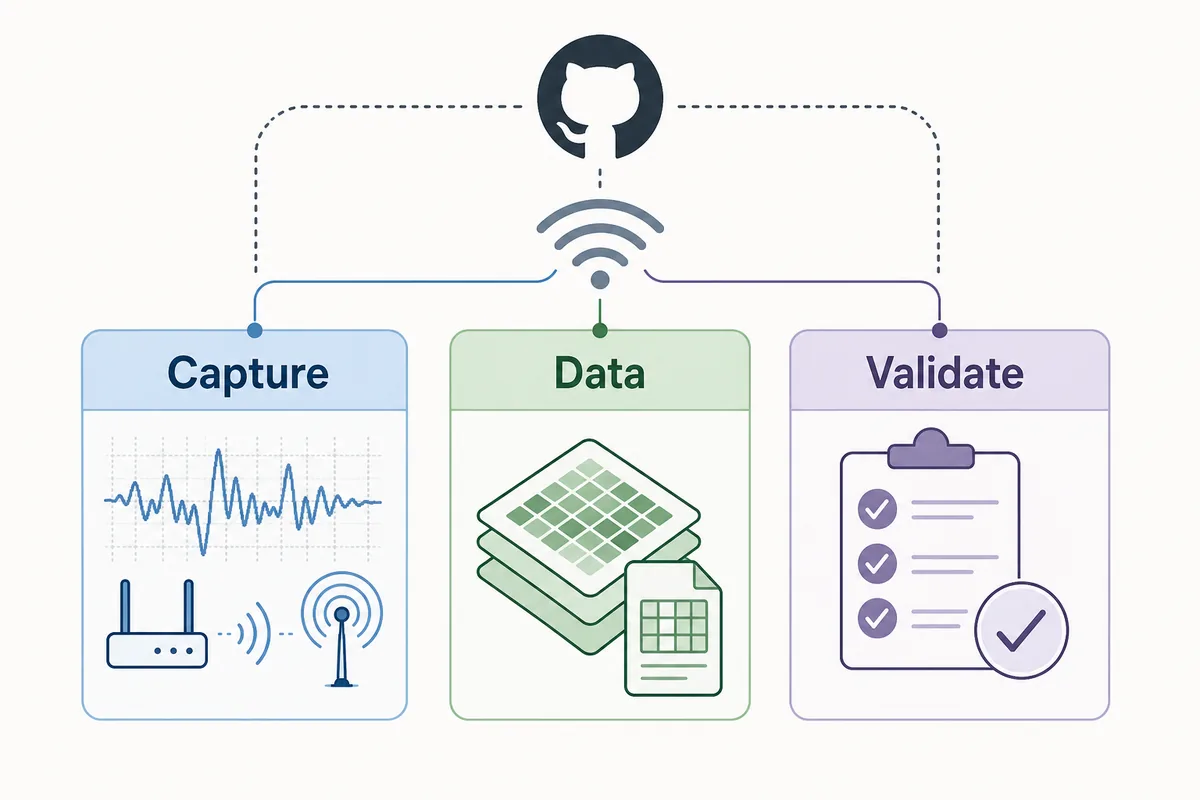
Open source WiFi CSI sensing looks simple from a search result: clone a repository, flash an ESP32 or connect a supported WiFi card, and watch a room become measurable without a camera. The reality is more layered. Some repositories only collect Channel State Information. Some reproduce a paper on one dataset. Some show a presence detector for a single room. A few combine firmware, capture tools, labels, models, and documentation well enough to become a real starting point.
This guide helps you compare WiFi sensing GitHub projects without confusing a good demo with a validated human-detection system. It also explains where RuView fits: RuView is the browser-facing spatial-intelligence layer, while lower-level open source projects often handle CSI capture, ESP32 firmware, dataset preparation, or model experiments.
What Counts as an Open Source WiFi CSI Sensing Project?
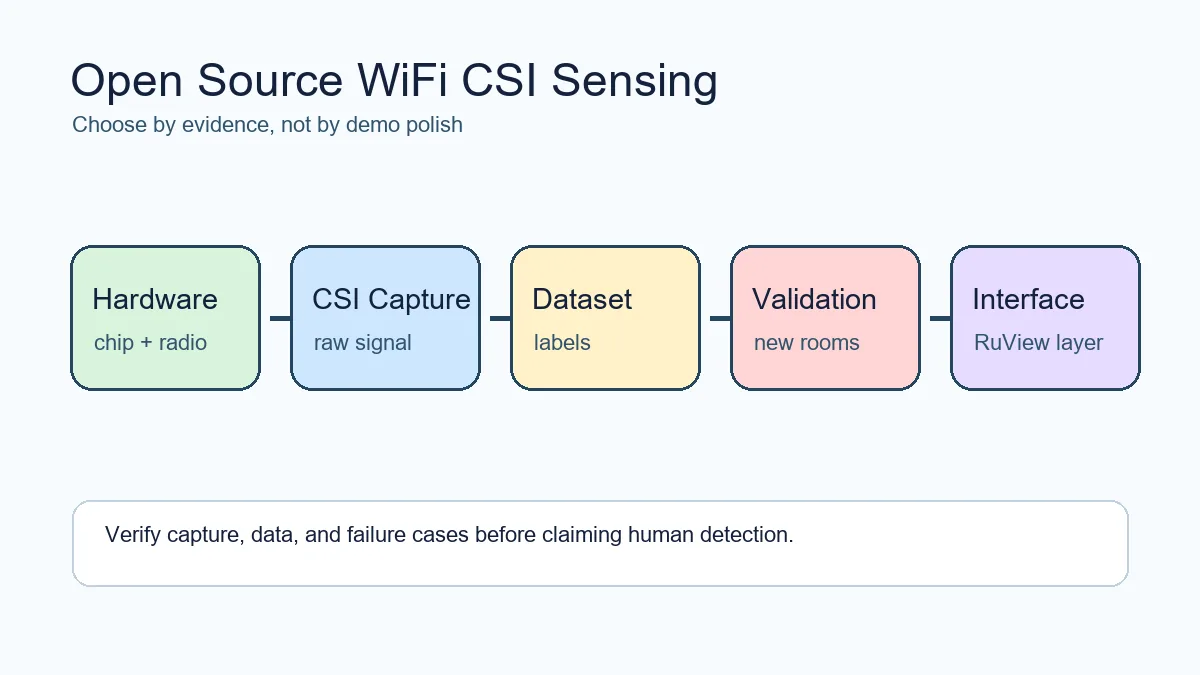
A strong open source WiFi CSI sensing project should expose the full path from radio signal to interpretation. At minimum, look for hardware requirements, firmware or driver setup, raw CSI output format, timestamp handling, example captures, preprocessing code, and a reproducible evaluation. A repository that only shows a polished visualization may still be useful, but it is not enough to judge reliability.
The safest way to read these projects is to separate four layers: acquisition, dataset, model, and application. Acquisition tools collect CSI from ESP32 boards or research WiFi hardware. Dataset projects provide labeled activity or presence recordings. Model projects train classifiers or pose/activity estimators. Application projects connect those signals to a dashboard, automation system, or RuView-style interface.
- Check whether the project works with commodity ESP32 hardware, research NICs, or only a narrow lab setup.
- Prefer repositories that publish raw sample data and explain preprocessing assumptions.
- Be cautious when a project claims fall detection, health monitoring, or through-wall sensing without independent validation.
Quick Comparison of Common Project Types
Searches such as wifi sensing github or wifi human detection github mix very different project types. The table below gives a practical filter before you invest time in setup.
| Project type | What it usually gives you | Main risk |
|---|---|---|
| ESP32 CSI collector | Firmware, serial output, packet metadata, and examples for capturing CSI | It may not include a validated model or stable room-level accuracy |
| Research HAR repository | Training scripts, model architecture, paper dataset links, and metrics | The model may depend on a narrow dataset or unavailable hardware |
| Presence detector demo | A concrete binary occupancy or motion example for one setup | Calibration can drift when the room, router, or packet rate changes |
| RuView-style interface | A user-facing way to inspect sensing signals, confidence, and limitations | It still needs trustworthy CSI input and careful evaluation |
Evaluation Checklist Before You Clone
Before cloning a repository, read it as an engineering contract. Does it name the chip, board, firmware version, WiFi mode, channel width, sender and receiver placement, packet rate, and operating system? Does it explain how labels were collected? Does it show what happens with an empty room, pets, fans, doors, multiple people, or a moved router?
For human detection, the best repositories make false positives visible. They show confusion matrices, baseline recordings, test-room splits, and failure cases. If a project only shows a successful GIF or a screenshot, treat it as a concept until you reproduce the dataset locally.
- Hardware: exact ESP32 or NIC, antenna setup, router path, channel, and firmware version.
- Data: raw CSI examples, labels, timestamp alignment, train/test split, and room metadata.
- Model: preprocessing code, saved weights, evaluation method, and unseen-room test results.
- Deployment: latency, CPU cost, privacy notes, consent requirements, and safe fallback states.
How to Use Keyword Intent When Shortlisting Projects
Similarweb phrase-match data keeps wifi csi sensing open source tightly informational, while related data adds csi wifi, wifi csi detection, wifi csi open source tool, wifi sensing, and wi-fi sensing. These candidates fit this page as filters and examples, not as separate pages in this task. If the query says tool, inspect capture support and output format first. If it says detection, look for negative tests and unseen-room validation. If it says dataset, move to the dataset guide.
| Candidate | Use | Boundary |
|---|---|---|
| wifi csi sensing open source | Primary checklist | Do not turn into a generic definition |
| wifi csi open source tool | Capture and export requirements | Tool-by-tool reviews are future-page intent |
| wifi csi detection | FAQ and validation examples | Accuracy claims need dataset proof |
| awesome wifi csi sensing | Source context | Curated-list intent is navigational |
How RuView Fits into the Open Source Stack
RuView is not a replacement for low-level CSI capture tools. It is better understood as a gateway and interpretation layer for people exploring camera-free spatial intelligence. A RuView-style workflow still needs the lower layers to be honest: compatible hardware, stable CSI capture, a labeled dataset, and clear boundaries around what the model can infer.
That is why this page links outward to the RuView GitHub repository, ESP32 CSI guide, motion-capture guide, and dataset guide. Together they separate navigational intent from implementation intent. Users looking for the demo should use the homepage. Users choosing open source sensing components should use this checklist first.
- Use the RuView demo to inspect the interface and user-facing explanation layer.
- Use the ESP32 CSI guide when the blocking question is hardware capture.
- Use the dataset guide when the blocking question is labels, baselines, and benchmark design.
Recommended Starting Path
For a first experiment, start with an acquisition-focused project such as Espressif ESP-CSI or the ESP32 CSI Tool, then collect your own empty-room and simple-motion recordings. After you can reproduce stable CSI traces, add a small classifier for occupied versus empty or motion versus stillness. Only then compare research models for richer tasks such as human activity recognition, breathing trends, or pose-like inference.
If your goal is a public demo or product prototype, add a responsible presentation layer early. Show confidence, show limitations, and avoid claiming medical, safety, or security certainty. WiFi sensing can be powerful, but radio multipath is environment-dependent and easy to overread.
- Step 1: prove CSI capture on your exact board and room.
- Step 2: collect baseline and labeled scenarios before training.
- Step 3: test on days, placements, and people not seen during calibration.
- Step 4: connect results to RuView only after the signal pipeline is repeatable.
Why This Page Does Not Replace Existing RuView Pages
This guide targets open source project selection. It intentionally avoids becoming another RuView GitHub page, another ESP32 hardware guide, or another dataset article. The RuView GitHub guide answers repository navigation questions. The ESP32 CSI guide answers board and capture questions. The dataset guide answers benchmark and labeling questions. This page connects those resources for searchers who are comparing the open source WiFi sensing landscape before choosing a stack.
Shortlist criteria for GitHub repositories
When several WiFi CSI sensing repositories look similar, shortlist them with evidence instead of stars alone. A good candidate names the supported hardware, publishes a minimal capture example, explains labels and preprocessing, includes negative tests, and states what is not validated.
For RuView-style work, the best repository is often not the flashiest model. It is the one that lets you reproduce CSI capture first, inspect data quality second, and connect interpretation only after the signal path is stable.
| Criterion | Pass signal | Risk signal |
|---|---|---|
| Hardware support | Exact ESP32/NIC and firmware named | Generic WiFi claims only |
| Data quality | Raw sample CSI and labels included | Only screenshots or GIFs |
| Validation | False positives and unseen sessions discussed | Only one-room success case |
| Integration | Clear output format for downstream tools | Opaque dashboard with no data export |
Sources and repositories to inspect
Open Source WiFi CSI Sensing FAQ
What is the best WiFi CSI sensing GitHub project to start with?
Start with a capture tool before a model. Espressif ESP-CSI and the ESP32 CSI Tool are practical entry points because they focus on obtaining CSI data. After that, compare research or RuView-style projects against your hardware and dataset needs.
Can open source WiFi sensing detect people through walls?
Some demonstrations show through-wall or non-line-of-sight sensitivity, but reliability depends on hardware, room geometry, packet rate, calibration, and validation. Treat it as experimental until tested in your own environment.
Is WiFi CSI sensing private?
It avoids video, but it can still reveal occupancy and activity. A responsible deployment should require consent, local processing where possible, clear retention rules, and visible limits on what the system claims.
How is this different from the RuView GitHub guide?
The RuView GitHub guide helps users navigate the RuView repository. This page helps users compare the broader open source WiFi CSI sensing stack before choosing hardware, data, models, and a RuView-style interface.
How do I compare WiFi CSI sensing GitHub repositories quickly?
Check exact hardware support, a minimal CSI capture example, raw sample data, label documentation, negative tests, and stated limits before looking at model claims.
Is an Awesome WiFi CSI Sensing list enough to choose a project?
No. A curated list is a useful map, but you still need to inspect hardware support, raw capture examples, labels, preprocessing, negative tests, and whether the repository has been maintained recently.