Chi cerca RuView motion capture vuole capire se i segnali WiFi possono seguire il movimento del corpo senza camera. Il CSI WiFi può rivelare pattern di movimento, ma una configurazione pratica richiede hardware controllato, prove ripetute, baseline della stanza e incertezza esplicita.
Questa pagina collega demo online, guida GitHub e guida ESP32 CSI. Spiega lo strato di interpretazione del movimento e come non confondere una demo pulita con un sistema validato.
Cosa significa RuView Motion Capture
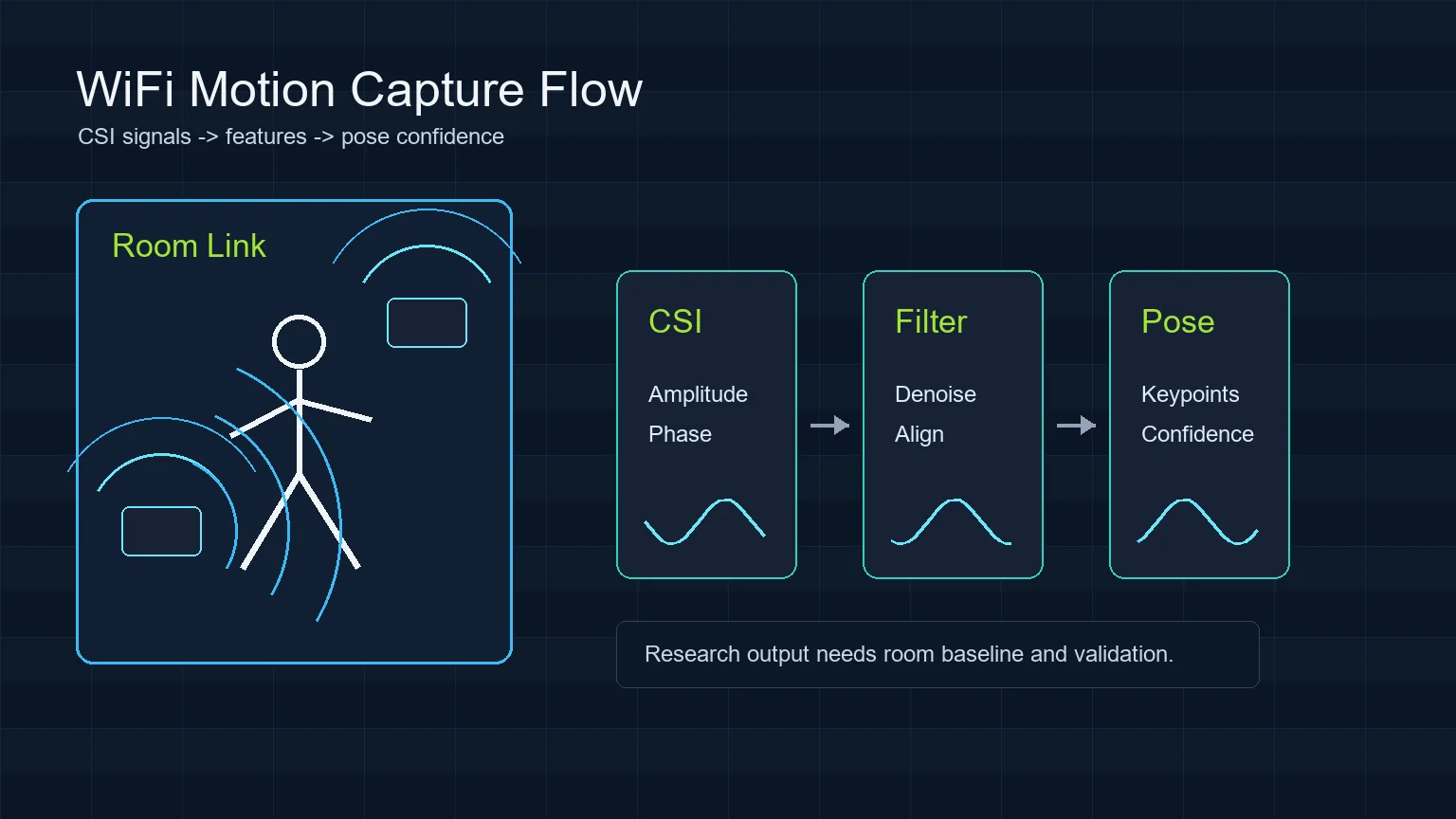
RuView motion capture non crea uno scheletro video normale. Osserva come cambiano i percorsi radio quando una persona si muove e trasforma quelle variazioni in stati di movimento, gesti o indizi di posa.
Una camera vede pixel; il CSI WiFi vede cambiamenti di propagazione multipath. Pareti, mobili, antenne, pacchetti e altre persone influenzano la misura, quindi il flusso resta sperimentale.
- Usa motion capture per inferenza del movimento, non come promessa di tracciamento completo.
- Mostra baseline, calibrazione e confidenza accanto all’output.
- Tratta posa, respirazione, cadute e salute come segnali di ricerca fino a validazione indipendente.
Dove entra WiFi DensePose
WiFi DensePose non crea uno scheletro video normale. Osserva come cambiano i percorsi radio quando una persona si muove e trasforma quelle variazioni in stati di movimento, gesti o indizi di posa.
CSI contiene più struttura di RSSI e richiede cattura ripetibile, link stabili, scenari etichettati, filtraggio, valutazione del modello e test negativi.
| Layer | What it handles | Common failure mode |
|---|---|---|
| CSI capture | Subcarrier-level channel changes from WiFi packets | Hardware exposes only RSSI or unstable packet timing |
| Feature processing | Denoising, alignment, amplitude and phase-derived features | Room change looks like human motion |
| Model interpretation | Presence, gesture, keypoint, or pose confidence | Confidence is mistaken for ground truth |
| Validation | Baseline, labels, repeated trials, false-positive checks | Demo succeeds once but cannot be reproduced |
Workflow pratico RuView Motion Capture
Parti da una domanda stretta, registra la stanza vuota, ripeti l’azione e poi mostra un’interpretazione prudente.
After capture, clean malformed rows, align timestamps, separate amplitude and phase-derived features, and compare the trial against the empty-room baseline. Only then should you show an interpretation layer such as motion state, skeleton confidence, or activity label. The page or demo should keep limits visible so viewers understand what the model can and cannot claim.
- Define one scenario before collecting data.
- Record empty-room, door-movement, and no-person false-positive trials.
- Keep hardware placement, WiFi channel, packet rate, and room layout in the experiment notes.
Hardware e configurazione
Separa software e sensing: prima demo o repository, poi hardware CSI, infine prove ripetibili nella stanza.
Users should separate software setup from sensing setup. First confirm the hosted RuView demo or local repository path works. Then confirm the hardware can expose CSI. Finally, run repeatable room trials. Skipping this order makes debugging harder because UI issues, driver limits, and sensing errors get mixed together.
| Goal | Reasonable starting point | What to verify |
|---|---|---|
| Learn the interface | RuView online demo | Page loads and explains limitations |
| Inspect code | ruvnet/RuView GitHub repository | README, issues, setup path, current status |
| Capture simple motion | ESP32 CSI or compatible WiFi CSI hardware | CSI rows, timestamps, packet stability |
| Study pose-like output | Multiple controlled links and labeled trials | Reproducibility, false positives, confidence calibration |
Come validare il motion capture WiFi
La validazione richiede baseline, prove positive ripetute e prove negative senza l’azione target.
A responsible result report should show what was tested, how many repeats were run, what failed, and where confidence dropped. If a motion label appears only in one room, with one antenna position, and without negative tests, describe it as a demo observation rather than a general capability.
- Use repeated trials, not a single successful screen.
- Document room layout, sensor placement, people count, and WiFi settings.
- Compare pose or vital-sign claims with independent references before relying on them.
Fraintendimenti comuni
WiFi see through walls non significa una vista chiara attraverso i muri; sono segnali radio sperimentali e dipendenti dal contesto.
The strongest RuView content makes the boundary explicit: the homepage is for the online demo, the GitHub guide is for repository and setup checks, the ESP32 CSI guide is for hardware capture, and this page is for the motion-capture interpretation workflow. Keeping those boundaries clear helps searchers find the right page and reduces cannibalization between topics.
- Do not call RSSI-only changes dense pose.
- Do not present generated visuals as real sensing screenshots.
- Do not use WiFi motion capture for medical, security, or safety decisions without independent validation.
Fonti e riferimenti tecnici
FAQ RuView Motion Capture
RuView traccia un corpo completo come una camera?
Non nello stesso modo. Un flusso WiFi inferisce indizi di movimento o posa e dipende da hardware, stanza, calibrazione, modello e validazione.
WiFi DensePose è RuView?
No. WiFi DensePose è una direzione di ricerca; RuView è un progetto e demo di sensing WiFi.
Qual è il primo test più semplice?
Inizia con occupato/vuoto o una camminata su un link noto.
Può vedere attraverso i muri?
Il movimento fuori linea diretta può cambiare il segnale, ma non è una visione chiara attraverso i muri.