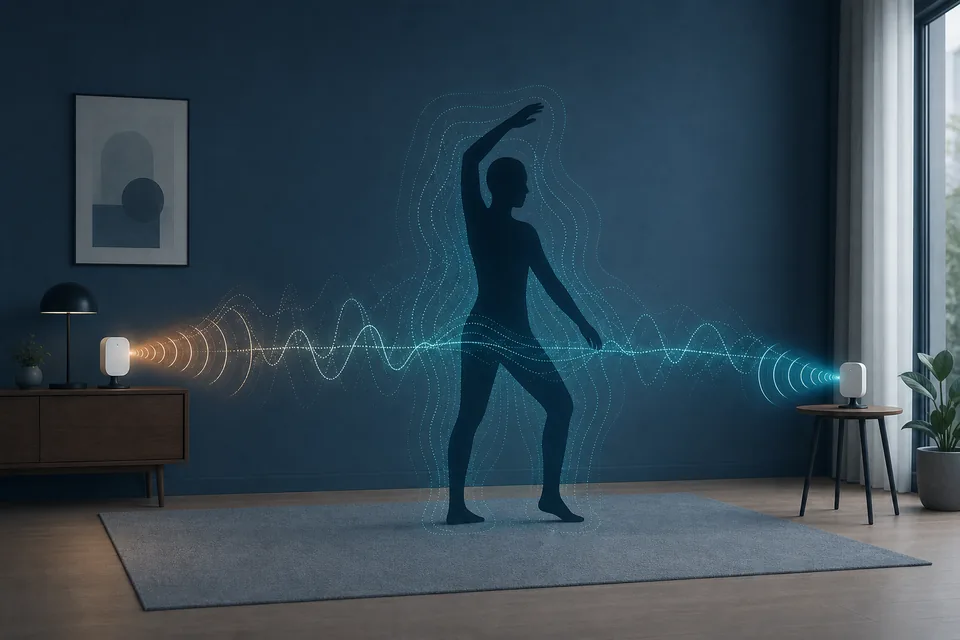
People searching for WiFi DensePose usually want to know whether wireless signals can reveal a person's posture without recording a video. The careful answer is yes, as a research possibility: CSI contains amplitude, phase, timing, and subcarrier structure that can change with body position. Turning those changes into a useful pose representation is much harder than showing a single motion trace.
This guide separates four layers that are often mixed together: the DensePose research idea, CSI capture, model interpretation, and the RuView-style project workflow. The goal is to help you choose the right next step, avoid treating a demo as ground truth, and build a validation plan that can expose false positives before you make a stronger claim.
What WiFi DensePose Means
DensePose is commonly associated with mapping a person in an image to dense body-surface coordinates. WiFi DensePose carries a similar ambition into a wireless-sensing setting: infer body-related structure from how radio signals propagate through a room. The input is not an RGB frame. It is a sequence of channel measurements collected from compatible WiFi hardware.
That distinction matters. A pose-like output is an inference produced by a model trained on particular rooms, people, device placements, traffic patterns, and labels. The same model can behave differently after a furniture change, antenna rotation, channel change, or new subject. Treat the phrase as a research direction and model task, not as a promise that any router can see a reliable skeleton.
- WiFi DensePose uses wireless channel changes as input instead of camera pixels.
- The output is a learned body representation or pose clue, not automatically a verified skeleton.
- Room layout, hardware, labels, and calibration are part of the sensing system.
How the WiFi DensePose Pipeline Works
A useful mental model is a four-stage pipeline. First, a transmitter and receiver produce packets that travel through a changing multipath environment. Next, the receiver exposes CSI across subcarriers and time. Signal processing cleans, aligns, and transforms those measurements into features. Finally, a model maps the feature sequence to a pose, body-region representation, activity label, or confidence estimate.
Each stage can fail independently. A stable-looking model output cannot repair missing subcarriers, inconsistent timestamps, clipped phase, weak packet capture, or labels that do not describe the actual room. Keep the stages visible in your notes so you know whether a problem is caused by hardware, preprocessing, data coverage, or model interpretation.
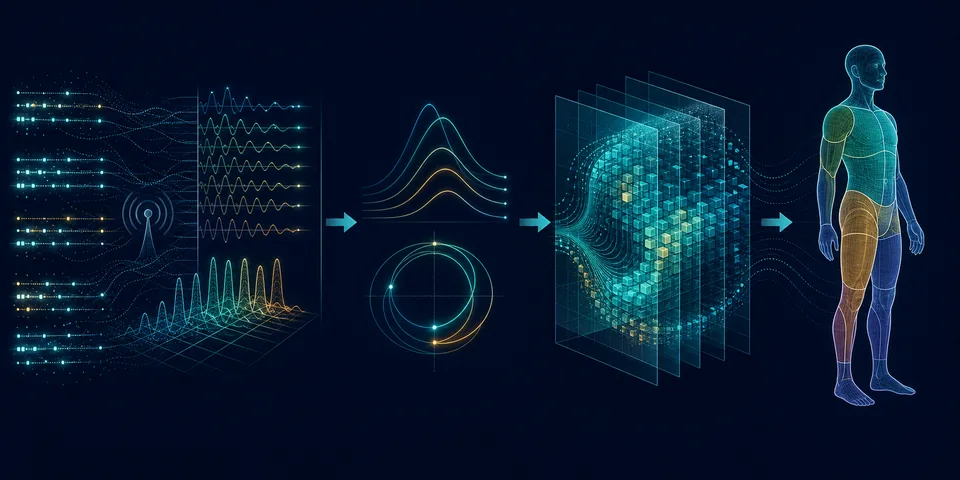
| Stage | What it provides | Typical failure |
|---|---|---|
| CSI capture | Subcarrier-level amplitude, phase, and timing samples | Only RSSI is available, packets are lost, or timestamps drift |
| Preprocessing | Aligned, filtered, normalized signal windows | Filtering removes useful motion or preserves room noise |
| Feature and model layer | Pose, body-region, activity, or confidence representation | The model learns a room shortcut instead of body structure |
| Validation | Repeated trials, baselines, labels, and error bounds | One successful demo is mistaken for general accuracy |
CSI Capture: Amplitude, Phase, and Subcarriers
Channel State Information describes how a wireless link changes across frequency subcarriers and time. In practical experiments, amplitude can show that the channel response changed, while phase and timing-related features can carry additional structure when the hardware and processing chain preserve them reliably. A single RSSI value is much coarser and should not be described as DensePose input by itself.
The first engineering checkpoint is therefore not the pose model. It is a clean capture path. Confirm that the device exposes the CSI fields you expect, that packet rate and timestamps are stable enough for your scenario, and that empty-room recordings do not look like constant motion. Store raw samples and capture metadata before applying aggressive filters.
- Record packet timestamps, channel, bandwidth, antenna placement, and subject position.
- Keep raw CSI before filtering so preprocessing choices can be audited.
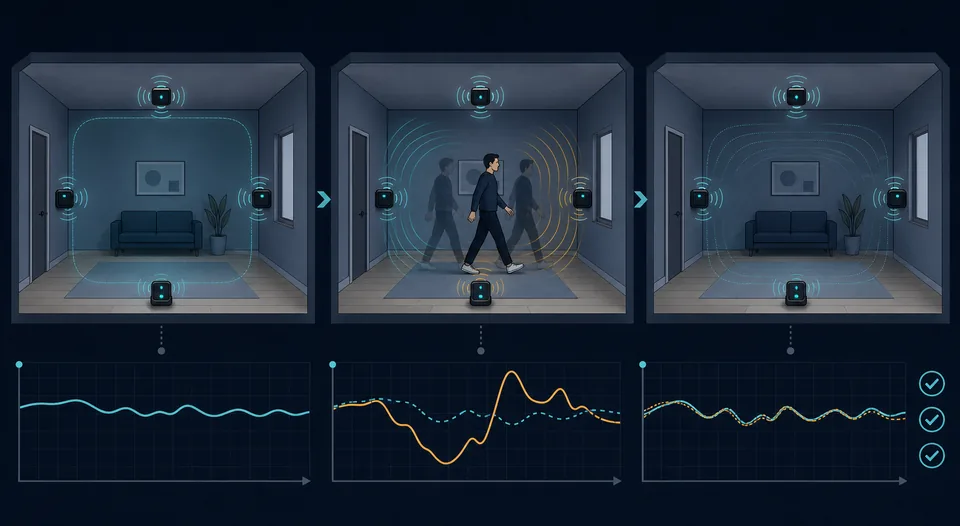
- Use an empty-room baseline to separate environmental drift from target movement.
Pose Estimation Is More Than Human Detection
Human detection asks a relatively narrow question: is a person or movement present? Pose estimation asks for a richer structure, such as body joints, body regions, or a dense coordinate representation. The richer the output, the more demanding the training labels, synchronization, sensor geometry, and validation become.
This is why a WiFi human-detection page, an ESP32 CSI capture guide, and a WiFi DensePose guide should not be collapsed into one page. They are connected but serve different decisions: whether a signal changes, whether the hardware can capture it, and whether a model can infer a body representation without confusing the room for the person.
| Task | Main question | Evidence needed |
|---|---|---|
| Presence detection | Is the room occupied or changing? | Empty-room and occupied-room trials |
| Motion or activity recognition | Which broad movement pattern is occurring? | Repeated labeled actions and negative cases |
| Pose estimation | What body configuration best explains the signal? | Synchronized pose labels, stable geometry, and held-out subjects |
| Dense body representation | Can the model recover fine-grained body-region structure? | Large, diverse data and strict cross-room evaluation |
Hardware and Data Requirements
There is no universal WiFi DensePose button. You need a sensing path that exposes useful CSI, a transmitter-receiver geometry that remains reasonably stable, and enough data to connect signal patterns with body labels. An ESP32-class node can be a practical way to learn CSI capture and simple activity experiments, but a small maker setup should not be described as equivalent to a research-grade multi-link pose system.
Data design is as important as hardware. Include more than clean examples: change subjects, viewpoints, distances, room states, clothing, background motion, and device placement. Keep a held-out room or subject when possible. If every training and test sample comes from the same layout, a high score may only show that the model memorized the setup.
| Decision | Reasonable starting point | What to verify |
|---|---|---|
| Learn the concept | Paper figures, signal plots, and a documented CSI example | You can explain the input, output, and limitation |
| Capture simple motion | Compatible ESP32 CSI or research WiFi hardware | CSI rows, timestamps, packet stability, and repeatability |
| Train an activity model | Labeled signal windows with negative examples | Subject split, room split, class balance, and leakage |
| Study pose-like output | Multiple links or richer sensing geometry with synchronized labels | Cross-room performance and confidence calibration |
A Responsible WiFi DensePose Validation Plan
Start with the smallest claim that can be tested. An occupied-versus-empty baseline is easier to falsify than a full pose claim. Next, repeat one known movement in the same geometry, then add negative trials such as a door opening, a chair moving, router traffic changing, or another person crossing outside the intended scenario.
Report failures as part of the result. A useful validation note says where the experiment ran, how the sensors were placed, how many repetitions were collected, which subjects or rooms were held out, how missing packets were handled, and where confidence dropped. If the result works only in one room with one antenna position, call it a local experiment rather than a general capability.
- Freeze the room geometry and capture settings for the first repeatability test.
- Keep positive, negative, and empty-room examples in the same report.
- Use held-out subjects or rooms to test whether the model learned people rather than the room.
- Compare pose or vital-sign claims with an independent reference before relying on them.
What WiFi DensePose Does Not Prove
A successful research result does not prove that an ordinary router can produce an accurate skeleton in every room. It also does not prove that a current RuView demo, an open-source repository, or a model confidence value is a medical, security, or safety certification. Those are separate claims with separate evidence requirements.
Use the site’s related guides deliberately: the CSI page explains the measurement, the ESP32 page explains a low-cost capture path, the human-detection page explains a narrower task, and the RuView motion-capture page explains the project-oriented workflow. This page adds the DensePose boundary so readers can move between topics without treating them as interchangeable.
- Do not call RSSI-only changes DensePose.
- Do not present a generated illustration as a real RuView screen or measured pose.
- Do not treat model confidence as ground truth without held-out validation.
- Do not use WiFi pose or vital-sign estimates for serious decisions without independent validation.
WiFi DensePose setup: a minimal validation example
To use WiFi DensePose responsibly, start with a small claim: distinguish an empty room from one repeated movement in a fixed geometry. Capture CSI with stable timestamps, keep a subject and room split, and store reference labels separately.
A pose-like output becomes informative only after capture and data steps are repeatable. Compare the same pipeline with a door movement or furniture change as a negative example; if it fails there, do not call the result a general body-pose estimate.
- Freeze room geometry and CSI settings for the first test.
- Keep pose labels, raw CSI, and negative cases in separate records.
- Use a held-out subject or room before making a broader claim.
Sources and Technical References
WiFi DensePose FAQ
Is WiFi DensePose the same as RuView?
No. WiFi DensePose describes a research direction for estimating body-related structure from wireless signals. RuView is an open-source WiFi sensing project and demo ecosystem that can help people explore related ideas, but the names should not be treated as interchangeable.
Can any WiFi router run WiFi DensePose?
Not automatically. A useful experiment needs a capture path that exposes compatible CSI, stable timestamps and geometry, suitable data, and a model trained for the task. A router that only exposes ordinary network traffic or coarse RSSI is not enough to claim DensePose input.
What is the easiest first experiment?
Start with an empty-room baseline and one repeated movement across a known transmitter-receiver link. Confirm that the CSI changes are repeatable before attempting activity recognition or pose-like output.
Does WiFi DensePose create an exact human skeleton?
It can produce a learned pose or body-region estimate in a controlled research setting, but the result is probabilistic. Hardware, room geometry, subject variation, training data, and validation determine whether the estimate transfers beyond the original setup.
How is WiFi DensePose different from WiFi human detection?
Human detection usually asks whether a person or movement is present. DensePose aims for a much richer body representation. The latter needs more detailed labels, more stable sensing geometry, and stronger cross-room validation.
How do you set up a WiFi DensePose test?
Start with an empty-room baseline and one repeated movement in fixed geometry. Keep CSI timestamps, pose labels, and negative cases separate, then test a held-out subject or room before calling the output a general pose estimate.