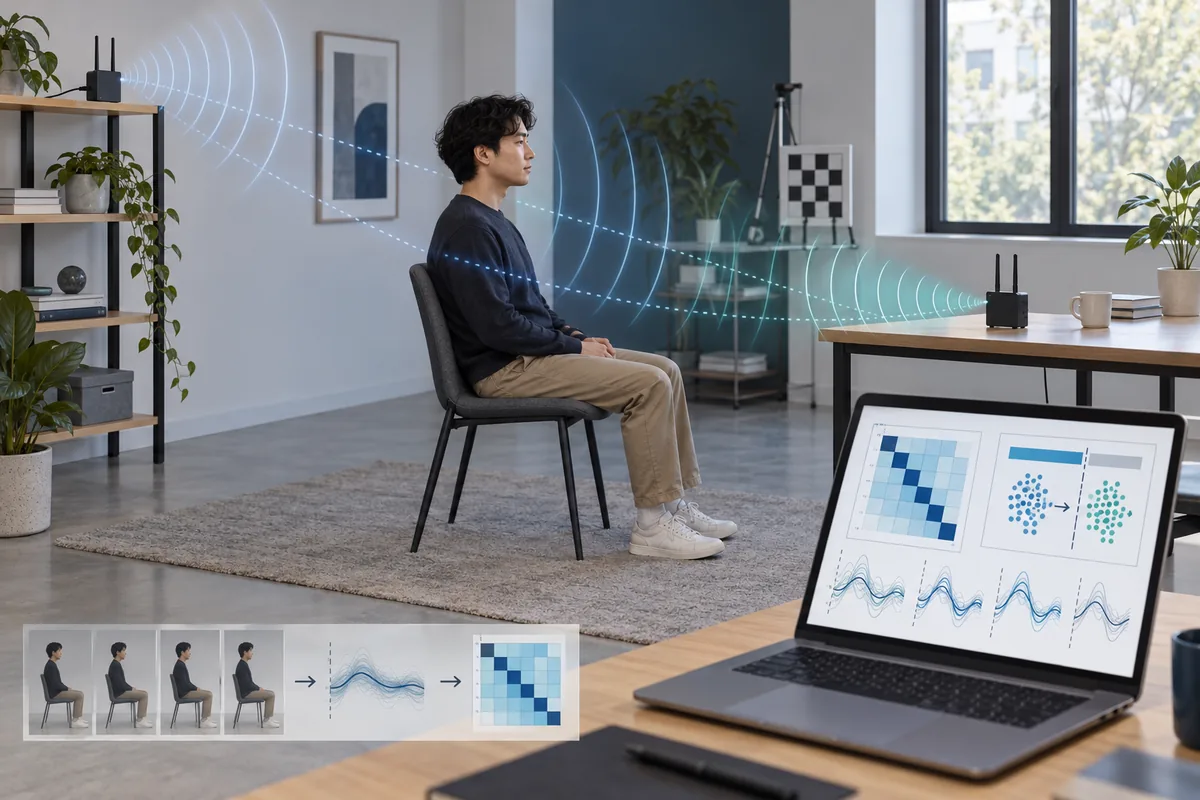
WiFi sensing accuracy describes how often an inference matches a defined reference. The inference might be occupied versus empty, a movement class, a room zone, a gesture, a breathing trend, or a position estimate. Each task needs its own labels, metric, and acceptable error. Saying that a system is 95% accurate without naming the task and test split hides more than it explains.
The practical starting point is to write the claim before collecting CSI. Decide what counts as a positive, what a false alarm costs, which people or rooms should generalize, and whether the output is classification, regression, or a research visualization. Then keep a baseline recording, a clean label log, and a held-out session that the model never sees while it is being tuned.
This guide focuses on repeatable WiFi sensing evaluation. It is not a universal benchmark or certification; the useful result is a transparent report with reproducible setup, failure cases, and clear limits.
What does WiFi sensing accuracy actually mean?
Accuracy is a relationship between a prediction and a reference label. For presence detection, the label may be an empty room or an occupied room during a recorded interval. For gesture recognition, it may be one of several gestures with a clearly marked start and end. For indoor positioning, it may be a zone or coordinate measured with a separate reference. The radio signal itself is not the truth label; it is the observation used to make an inference.
The decision threshold changes the meaning of accuracy. A detector tuned to avoid missed occupants may create more false alarms, and a lab score may fail with another person or room. Report the task, labels, threshold, time window, and test conditions beside every metric.
- Define one output first: class, zone, coordinate, count, or continuous estimate.
- Name the reference label and the interval over which a prediction is scored.
- Record the threshold, class balance, and conditions that were excluded.
- Treat accuracy as conditional evidence, not a permanent property of a WiFi device.
Which metrics should a WiFi sensing test report?
Choose metrics that match the cost of each error. Overall accuracy is easy to read, but it can hide a rare class or a detector that always chooses the majority label. A confusion matrix shows which classes are confused. Precision answers how many reported positives are correct; recall answers how many real positives were found; F1 balances the two when both matter. For an imbalanced presence dataset, balanced accuracy or per-class recall can be more informative than one headline percentage.
Regression and localization tasks need different measures. Use mean absolute error, median error, or a percentile for a distance or rate estimate. For zone positioning, report the share of predictions inside a useful tolerance. Never present a classification score as if it were a centimeter measurement.
| Task | Useful metrics | What to inspect | Common trap |
|---|---|---|---|
| Binary presence | Precision, recall, F1, balanced accuracy | False alarms during empty-room intervals | High accuracy from an imbalanced dataset |
| Gesture or activity classes | Per-class recall, macro F1, confusion matrix | Which gestures or people are confused | Reporting only the easiest class |
| Room zone | Zone accuracy, macro F1, distance error | Neighboring-zone confusion and drift | Calling a coarse zone a precise coordinate |
| Continuous signal estimate | MAE, median error, percentile error | Reference sensor quality and outliers | Hiding the error distribution behind an average |
Build a dataset that tests generalization
A WiFi sensing model learns the conditions represented in its recordings. If every training and test window comes from the same walk, person, room, and minute, adjacent windows may share nearly identical channel conditions. The resulting score measures memorization of a session more than generalization. Split at the level that matters for your claim: by session, day, person, room, layout, or node placement.
Start small enough to repeat. Capture an empty baseline, label activities or zones with timestamps, and keep packet metadata, channel, bandwidth, antenna orientation, firmware, sampling rate, and room changes beside the signal. A clean split beats a larger folder of unlabeled CSI.
- Use a held-out session for the final score; do not tune on it.
- Add negative cases such as an empty room, a stationary person, packet loss, and harmless background motion.
- When the claim is broader than one person or room, hold out a person, room, day, or layout explicitly.
- Freeze the split before comparing filters, features, models, or thresholds.
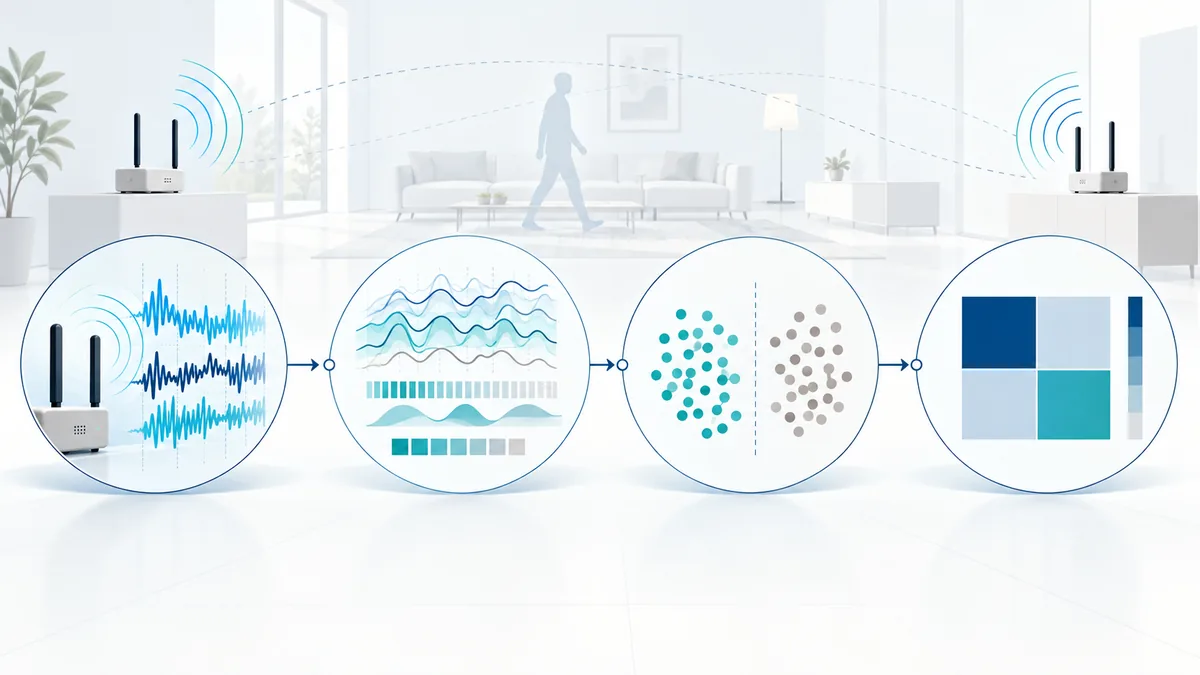
A baseline pipeline from CSI to a score
A baseline makes accuracy claims easier to audit. Begin with the simplest feature path that can answer the question: packet selection, timestamp alignment, basic cleaning, a fixed window, and a transparent model. Save the raw or minimally processed CSI so a filtering decision can be revisited. If a model needs calibration or normalization, fit those parameters on the training portion only.
Run the same pipeline on held-out data and store predictions with labels. Keep the confusion matrix, threshold sweep, error distribution, and wrong predictions. A lightweight baseline can reveal instability before a larger model makes the report harder to interpret.
- Log packet loss, missing windows, timestamp gaps, and rejected samples.
- Fit scaling, feature selection, and thresholds on training data only.
- Save predictions, labels, and error slices rather than only the final score.
Accuracy traps that make WiFi results look better
The most common trap is leakage: a random window split lets neighboring samples from the same recording appear in both training and test sets. Other traps include a class imbalance, a fixed person standing in one location, a visible cue that changes with the label, or a room that is cleaned between classes but never tested again. These shortcuts can be useful for debugging, but they do not support a broad accuracy claim.
Hardware and environment create drift. Channel selection, bandwidth, antenna placement, firmware, multipath, furniture, doors, fans, pets, and other traffic can change CSI. Measure that sensitivity instead of treating it as an exception.
| Trap | Why it inflates the score | Repair |
|---|---|---|
| Random windows from one session | Nearly identical channel samples cross the split | Hold out a complete session or day |
| Majority-class shortcut | A rare positive class contributes little to accuracy | Report per-class recall, macro F1, and a confusion matrix |
| Person or room shortcut | The model recognizes a fixed environment instead of the task | Hold out people, rooms, layouts, or node positions |
| Unlogged calibration | Readers cannot reproduce the threshold or baseline | Version the calibration window, parameters, and reset procedure |
A practical validation protocol
For a first pass, define a four-step protocol: baseline, controlled event, held-out repeat, and changed-condition check. Record the empty room or neutral state, run the labelled event several times, score a session kept out of tuning, and repeat after a realistic change such as another day, a different person, a moved chair, or a node restart. This sequence reveals whether the model learned the intended signal or the original recording.
Use a short report template: hardware and capture path, room geometry, classes, sampling window, split rule, metrics, threshold, failure cases, and privacy handling. For a research visualization, describe the output and uncertainty instead of assigning a made-up accuracy percentage.
- Baseline: collect repeated empty or neutral recordings and measure drift.
- Controlled event: label one activity, zone, or state with a clock-synchronized reference.
- Held-out repeat: run the unchanged pipeline on a protected session.
- Changed condition: test one new day, person, layout, channel, or node position.
- Report: publish errors, confusion, exclusions, and the conditions where the result should not be used.
Privacy and the boundary of an accuracy claim
A more accurate inference can also reveal more about people. Occupancy, movement, routine, or breathing-related signals may be sensitive even when no camera image is collected. Obtain consent, limit retention, restrict access to raw CSI and derived predictions, and explain what is measured, inferred, and not recorded. Accuracy testing should not quietly become a monitoring deployment.
On RuView Blog, accuracy is a research question. Use the CSI and device guides for capture details, then use the human-detection, positioning, or room-mapping guides for task-specific boundaries. A successful demo is not proof of medical, security, or identity safety.
- Separate a model score from a claim about a person, room, or health state.
- Document consent, retention, deletion, and who can access raw and derived data.
- Keep confidence and uncertainty visible when output is shown to a user.
- Stop the experiment when the intended claim cannot be validated with the available reference.
Research and technical references
WiFi sensing accuracy FAQ
What is a good WiFi sensing accuracy?
There is no universal number. A useful result states the task, labels, class balance, split, metric, and conditions. A lower score on a realistic held-out room can be more informative than a high score from adjacent windows in one session.
How do I test WiFi sensing accuracy?
Define the output, collect labelled CSI with a neutral baseline, freeze a held-out session, run the same pipeline, and report a confusion matrix or error distribution. Add a changed-person, changed-room, changed-day, or node-restart test when the claim should generalize.
Why does my WiFi sensing model work in the lab but fail at home?
The model may have learned a room, person, node placement, channel, or session shortcut. Check leakage, calibration drift, furniture and multipath changes, packet loss, and whether the test split represents the home conditions.
Can I report one accuracy number for a WiFi sensing demo?
Only when the demo has a defined task, reference labels, a documented split, and a metric that matches the output. Otherwise describe the observed behavior, examples, and limitations instead of inventing a benchmark score.
Does high accuracy make WiFi sensing safe for medical or security use?
No. Medical, safety, and security use requires domain-specific validation, risk controls, reference systems, privacy review, and appropriate certification. A research accuracy score is not approval for those decisions.